Please Wait...

Compare 4G/5G Routers & Find the Best One for Your Needs | 5Gstore

Easily compare 4G/5G routers side by side with our Router Comparison Tool! Select multiple routers from top brands like Peplink, Cradlepoint, Netgear, Sierra Wireless, Teltonika and more to see a detailed breakdown of specs, features, and performance. Our tool highlights key differences in bands, speeds, ports, failover capabilities, WiFi standards, and more, helping you choose the best router for home, business, vehicles, or IoT applications. Get expert insights with our 5Gstore Take analysis and make an informed decision today!


VS


VS


VS


+

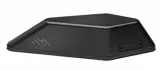
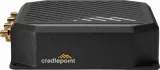
Cradlepoint R2105 Global vs Cradlepoint S750 NA

  Cradlepoint R2105 Global Cradlepoint S750 NA
 

Cradlepoint R2105 Global

MB03-2105-5GB-GA

Cradlepoint S750 NA

TBA3-0750C4D-NN
 
Call for Availability
... more info
Call for Availability
... more info
Manufacturer Ericsson Cradlepoint Ericsson Cradlepoint ↓
Price $3,215.00 $755.00
Popularity Extremely popular Extremely popular
Connectivity↑
No. of Cellular Connectors 0 2
No. of WiFi Connectors 0 0
No. of GPS Connectors 0 1
Cellular Connector SMA Female
GPS Connector SMA Female
Modem↑
4G/LTE Support Yes Yes
5G Support Yes No
C-Band Support No No
FirstNet Support Yes Yes
APAC Support No No
mmWave Support No No
Networking↑
No. of LAN Ports 1 1
No. of WAN Ports 0 1
No. of Fiber (SFP) Ports 0 0
No. of Serial Ports 0 0
Ports Configurable as LAN/WAN No Yes
USB Port WAN
Cellular↑
No. of Embedded Modems 1 1
SIM Card Size 4FF 4FF
eSIM Support No No
Antennas Included Yes Yes
Modem Expansion Slot No Yes
Modem Replaceable No No
Antenna Frequency 4G/LTE Band 71 (600Mhz)
5G Low Band n71 (600mhz)
5G Low Band n5 (850Mhz)
5G Mid Band n41 (2500Mhz)
5G Mid Band n77 (3700Mhz)
5G Low Band n2 (1900Mhz)
4G/LTE Band 12/13/17/29 (700mhz)
4G/LTE Band 14 (FirstNet)
4G/LTE Band 5/26 (850MHz)
4G/LTE Band 3 (1800MHz)
4G/LTE Band 2/25 (1900MHz)
4G/LTE Band 4/66 (1700/2100MHz)
4G/LTE Band 41 (2500MHz)
4G/LTE Band 7 (2600MHz)
4G/LTE Band 71 (600Mhz)
4G/LTE Band 12/13/17/29 (700mhz)
4G/LTE Band 5/26 (850MHz)
4G/LTE Band 2/25 (1900MHz)
4G/LTE Band 4/66 (1700/2100MHz)
Certified Carrier AT&T
T-Mobile
UScellular
Verizon
FirstNet
T-Mobile Connecting Heroes
Verizon Frontline
AT&T
T-Mobile
Verizon
FirstNet
T-Mobile Connecting Heroes
Verizon Frontline
Features↑
FIPS Certified No No
Cloud Management Included Yes Yes
Bluetooth No No
Bonding Support No No
IP Passthrough Yes Yes
5G RedCap No No
Size↑
Length (in) 4.5 4.8
Width (in) 15.7 4.6
Height (in) 3.2 1.3
Misc.↑
WAN Throughput Speed 900Mbps 480 mbps
Weight (lb) 3.25 1.4
Minimum Temperature (F) -22 -4
Maximum Temperature (F) 158 140
Material Metal IP67 Aluminum housing
Power Input 9–36 VDC 12 VDC, 2x2, 1.5 meters
Country of Origin Taiwan Taiwan
Additional Info↑
Compatible Antennas Show Compatible Antennas
PDFs
Latest Blog Posts
  • Understanding Cradlepoint NetCloud Renewals
  • Upgrading Your Cradlepoint Router from 4G to 5G: When and Why?
  • Increase Peplink or CradlePoint Speeds by Locking into different bands
  • Understanding Cradlepoint NetCloud Renewals
  • Upgrading Your Cradlepoint Router from 4G to 5G: When and Why?
  • Increase Peplink or CradlePoint Speeds by Locking into different bands
  • Latest YouTube Videos
  • Cradlepoint - How to Block Cellular Frequency Bands (aka Band Masking)
  • Cradlepoint - How to Manually Switch SIM Card Connections
  • Cradlepoint NetCloud OS - How to Configure Failover/ Failback
  • Cradlepoint NetCloud OS - How to Determine Signal Strength & Band Info
  • Cradlepoint NetCloud OS - How to Configure WAN Performance Traffic Steering
  • Cradlepoint NetCloud OS - How to Configure Load Balancing
  • Cradlepoint NetCloud OS - How to Configure a WAN port as a LAN port
  • Cradlepoint NetCloud OS - How to Configure a Data Usage Monitor
  • Cradlepoint NetCloud OS - How to Configure Port Forwarding
  • Cradlepoint NetCloud OS - How to Manually Configure a Cellular APN
  • Large Deployment↑
    Have a large deployment? Request a Quote Request a Quote
    5Gstore Summary The Cradlepoint R2105 Global is a niche selection that 5Gstore sells.
    100% of the customers that purchase keep this router.
    Based on customer traffic, the Cradlepoint R2105 Global extremely popular.

    The Cradlepoint R2105 Global has 1 internal modem.
    The Cradlepoint R2105 Global has same number of internal modems as the Cradlepoint S750 NA so this is a good comparison.
    The Cradlepoint S750 NA is a niche selection that 5Gstore sells.
    100% of the customers that purchase keep this router.
    Based on customer traffic, the Cradlepoint S750 NA extremely popular.

    The Cradlepoint S750 NA has 1 internal modem.
    The Cradlepoint S750 NA has same number of internal modems as the Cradlepoint R2105 Global so this is a good comparison.

    Cradlepoint R2105 Global vs Cradlepoint S750 NA

    Looking for a comparison between the Cradlepoint R2105 Global and the Cradlepoint S750 NA? Look no further! At 5Gstore, we provide a detailed breakdown of the features, specifications, and performance of both routers to help you make an informed decision. Whether you need a reliable solution for global connectivity or a high-performance router for North America, we have you covered. Check out our comparison page to see which Cradlepoint router is the right fit for your needs.