
Key points
- True plug-and-play: No drivers required. It presents as a USB Ethernet device and provides DHCP over USB.
- “Works with almost anything” potential: If your device supports USB-to-Ethernet networking, it can likely use the 5G Dongle.
- Upgrade your 4G router to 5G: Designed as a simple 5G WAN add-on for compatible USB routers, especially Peplink.
- Bigger than a router accessory: In testing, it worked great as a portable 5G connection for Mac, plus easy sharing over WiFi using internet sharing.
- iPhone and iPad friendly (tested): Plugging it into iOS devices provided internet access through the dongle connection.
- SIM flexibility: Supports physical nano-SIM or eSIM, with room for multiple eSIM profiles.
- 4x external antenna ports: Includes stock antennas, and we successfully swapped to smaller Taoglas antennas for travel and tight installs (and better 5G performance).
Pepwave has a long history of making cellular connectivity feel “business-grade,” especially for Peplink routers and mobile deployments. The new Pepwave 5G Dongle continues that theme, but it does it in a way we do not see often: it is built to behave like a simple network adapter instead of a traditional modem.
That one design choice is why this device is more versatile than it first appears.
In this review, we will cover what it is, what makes it different, how it compares to the older 4G Pepwave MAX Adapter concept, what our testing looked like, and who we think it is best for.
What the Pepwave 5G Dongle is
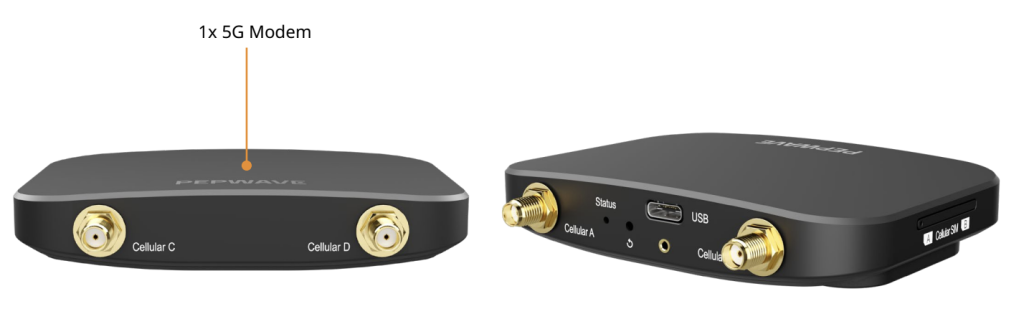
At the simplest level, the Pepwave 5G Dongle is a 5G cellular data device that connects via USB-C and provides internet to the host device using DHCP over USB.
There is no Ethernet port on the unit. There is also no WiFi radio inside the dongle. Everything is delivered via the USB connection, and that is intentional.
Instead of trying to be a tiny router, Pepwave made it a clean, driverless “USB to internet” device that can be used in more places than you might expect.
The big differentiator: driverless networking and DHCP over USB
Most USB cellular devices fall into one of two camps:
- They need specific software, drivers, or a management utility
- They work, but only reliably on certain operating systems or with certain hardware
The Pepwave 5G Dongle is different because it presents itself like a USB Ethernet interface. In practical terms, it behaves similarly to plugging in a USB-to-Ethernet adapter, except instead of giving you a wired Ethernet port, it gives you a live internet connection via cellular.
That means:
- No driver installs
- Less OS compatibility drama
- Faster setup, especially for field work and travel
- A more “universal” experience across Mac/Windows/Linux and compatible routers
And because it uses DHCP over USB, it can hand out an IP address to the host device automatically.
How it compares to the Pepwave MAX Adapter (4G LTE)
If you remember the Pepwave MAX Adapter era, the pitch was straightforward: add cellular capability where you need it, and improve reliability with LTE. The new 5G Dongle takes that same idea and modernizes it with:
- 5G support (Sub-6, including NSA and SA modes)
- LTE Cat-19 fallback for coverage and compatibility
- A more universal networking approach that feels less like “a modem” and more like “a network interface”
So yes, it is absolutely an “upgrade from 4G to 5G” in the most direct way. But the bigger upgrade is actually how it behaves when you connect it to different devices.
Build, ports, antennas, and power
Physical design
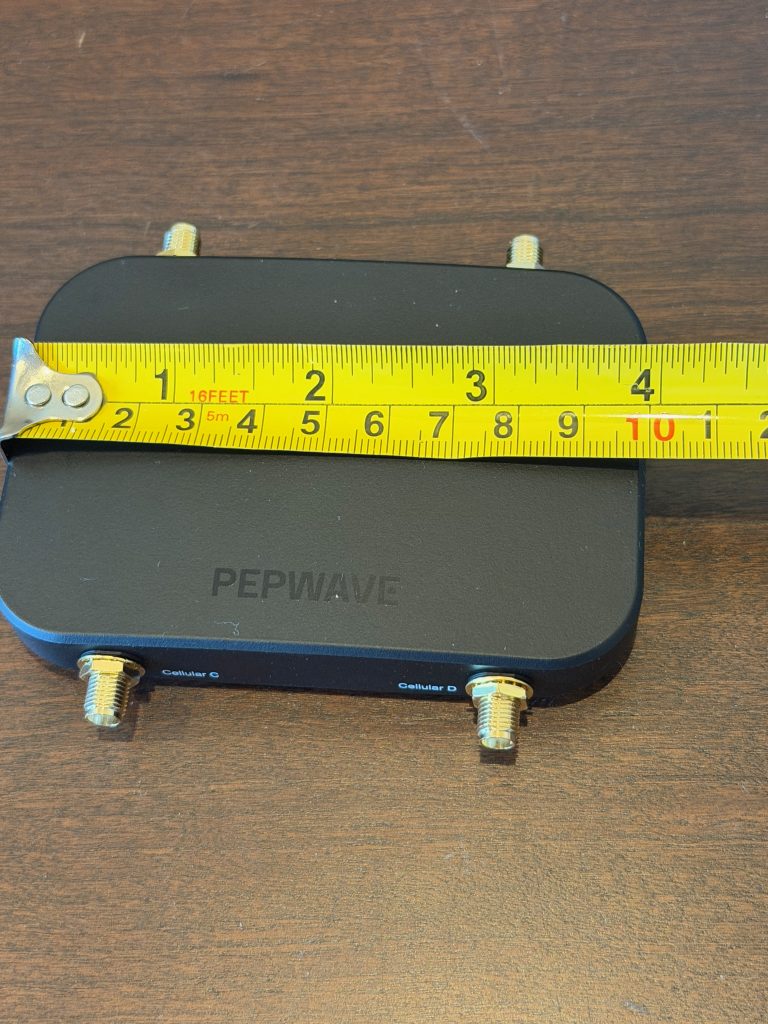
The 5G Dongle is compact and lightweight, which matters if you plan to travel with it or keep it as part of a go-bag. It is the kind of device you can leave in a laptop bag, a tech kit, or a field case without thinking about it.
Ports and connectivity
- One USB-C port is the whole story.
- No RJ45 Ethernet port.
- No WiFi.
This is not a negative, it is a deliberate design. Pepwave is basically saying, “Use the host device or router to do routing, WiFi, and sharing. We will focus on delivering clean cellular WAN over USB.”
External antennas (4x SMA)
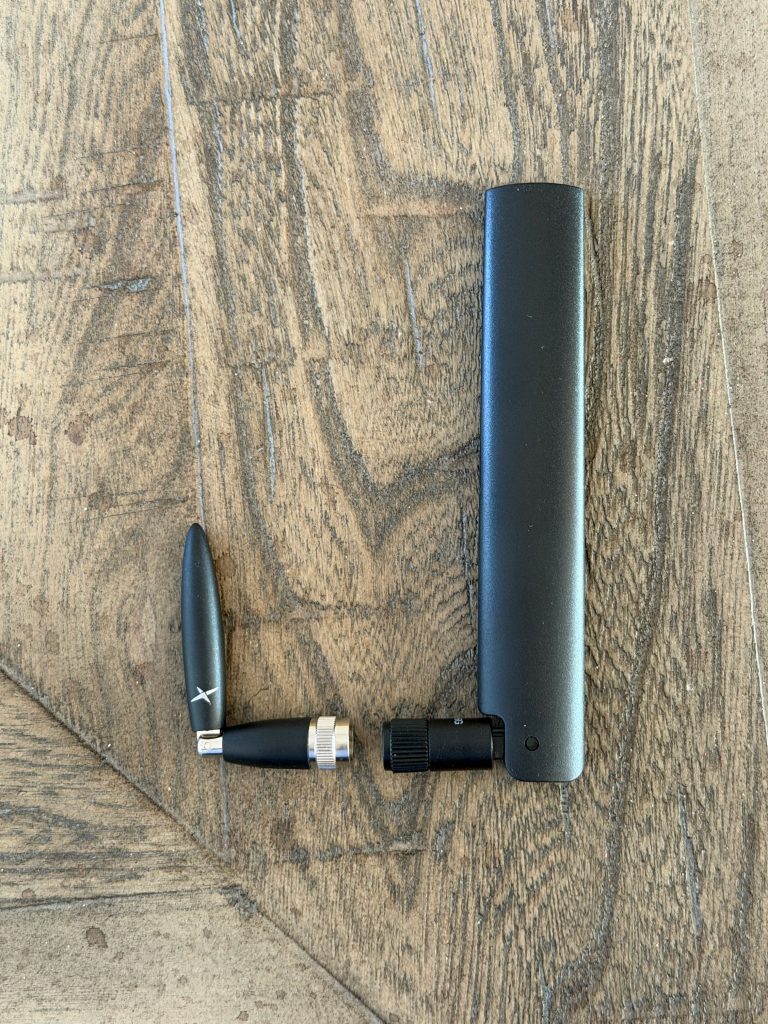
The dongle supports external antennas and ships with larger stock antennas. You get four cellular antenna connections, which is a big deal because antenna flexibility is often what separates “it sort of works” from “it works great.”
Power behavior
It is powered by USB-C and is designed to be easy to run from laptops, routers, and many tablets. Like any cellular device, power availability matters, so if you are connecting it to a low-power host, a powered USB solution can be useful.
SIM options: physical SIM and eSIM
This is one of the most practical parts of the product.
The 5G Dongle supports:
- Physical nano-SIM
- eSIM, including the ability to store multiple profiles
- A starter eSIM data plan so you can validate functionality quickly
For many businesses, eSIM is becoming the simplest way to deploy. For many travelers, physical SIM still wins for flexibility. Having both is what you want.
Performance expectations
On paper, this is a high-performance Sub-6 5G device with LTE Cat-19 fallback. In reality, your speeds will depend on:
- Carrier and plan
- Coverage and congestion
- Band support for your region
- Antenna choice and placement
- How you are powering and positioning the device
In other words: it has the capability, but like any cellular product, your environment will determine your real-world results.
What surprised us most in testing
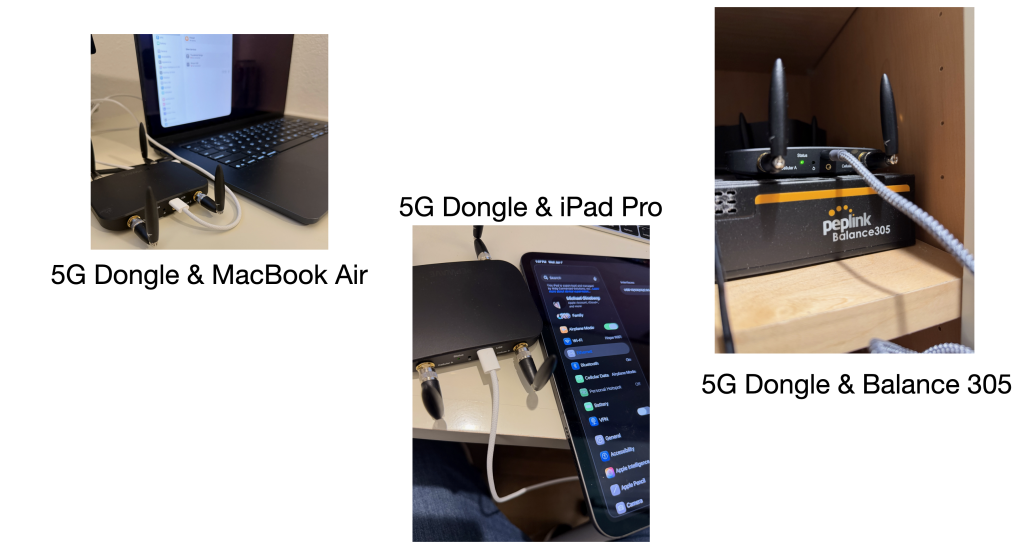
Pepwave markets this as an easy way to add 5G to a compatible router or device. That is accurate. But our testing quickly turned into “how many things can we plug this into?”
Test 1: Mac direct connection
We plugged it into a Mac and it provided internet immediately. No drivers, no utilities, no fiddling.
This alone makes it an excellent travel backup. If you are the type of person who always wants a second internet option, it is hard to beat the simplicity.
Test 2: Mac Internet Sharing to WiFi users
This is where it went from “useful” to “really clever.”
Even though the dongle has no WiFi, macOS can share the connection over WiFi using Internet Sharing. That means:
- The 5G Dongle becomes your WAN
- The Mac becomes a WiFi hotspot
- Nearby devices connect to the Mac’s WiFi and ride on the 5G connection
So, in the right scenario, you basically created a mini travel router using the computer you already brought.
Windows and Linux can do similar sharing or hotspot functions depending on configuration.
Test 3: iPhone and iPad
We tested it by plugging it into an iPhone and an iPad, and it provided internet to those iOS devices through the dongle connection.
This is a big deal for people who work from tablets, or who want a data connection that is not tied to a phone hotspot plan. It is also an interesting workaround in environments where WiFi is unreliable or restricted.
The antenna swap we recommend for travel and tight spaces
The stock antennas work, but they can be bulky.
During testing, we swapped the stock antennas for the smaller Taoglas Antenna Kit (4x Cellular TG.66):
Why we liked the swap:
- Much smaller footprint
- Easier to pack for travel
- Easier to install in tight spaces or cramped enclosures
- In our testing, performance was comparable to the larger antennas
This is one of those “small change, big convenience” upgrades, especially if the dongle is going into a bag, vehicle, or portable kit.
Who this product is for
1) Peplink users who want an easy 5G WAN add-on
If you have a Peplink router with a compatible USB port, this is an easy way to add 5G. It is especially useful as:
- Primary WAN in some deployments
- Failover WAN in others
- A portable “5G in a box” option you can move between sites
2) Anyone who wants a driverless, portable 5G backup for a laptop
If you do remote work, travel, demos, events, or field work, this shines as a “plug it in and go” connection.
3) IT teams building reliable connectivity kits
It is small, simple, and flexible. Those three traits matter when you are building standardized kits for employees or field techs.
4) Tablet-first users who want another way to get online
If you work on an iPad and need a reliable cellular option, this is worth a look based on our tests.
Pros and cons
What we love
- Truly plug-and-play, driverless behavior
- DHCP over USB makes it feel universal
- Works as an upgrade path to bring 5G to compatible routers
- Flexible SIM options (physical and eSIM)
- External antenna ports for real deployments
- Surprisingly useful with internet sharing and hotspot-style workflows
What to consider
- No Ethernet port (USB-only by design)
- No WiFi (you share via the host device if you need WiFi)
- Compatibility still depends on whether the host truly supports USB networking and enough power
Final thoughts
The Peplink 5G Dongle is a different kind of product in the best way.
Yes, it is a clean solution for upgrading a 4G router to 5G. But the bigger story is that it acts like a universal, driverless USB network adapter that just happens to be powered by 5G.
If you want something portable, flexible, and quick to deploy, this is an easy device to recommend, especially if you pair it with the right antennas for your use case.
FAQ
Does the Pepwave 5G Dongle require drivers?
No. The big advantage is that it does not require software drivers and provides DHCP over USB.
Can it upgrade a 4G router to 5G?
Yes, if your router has a compatible USB port and supports USB networking, the dongle can provide 5G WAN via USB.
Does it have WiFi or Ethernet?
No WiFi and no RJ45 Ethernet port. Connectivity is via USB-C only. If you need WiFi, you can share the connection from a host device that supports internet sharing.
Can I use a physical SIM and eSIM?
Yes. It supports physical nano-SIM and eSIM, and it can store multiple eSIM profiles.
What antennas should I use?
It ships with stock antennas, but for travel and tight installs we like the smaller Taoglas TG.66 kit because it is compact and easy to deploy while still performing well in our testing.
What is the 5G Dongle Model Number?
DNGL-5GY-PRM (North America)
DNGL-5GZ-PRM (APAC & EMEA)
Does the interface look different than other Peplink GUI?
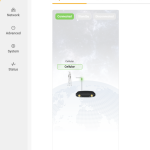
Yes, it is a cleaner looking and newer interface in the 5G Dongle.
