
Table of Contents
If you have ever switched carriers, added a travel eSIM, or moved a device from one SIM to another for backup connectivity, you have felt the difference between an unlocked device and a locked one.
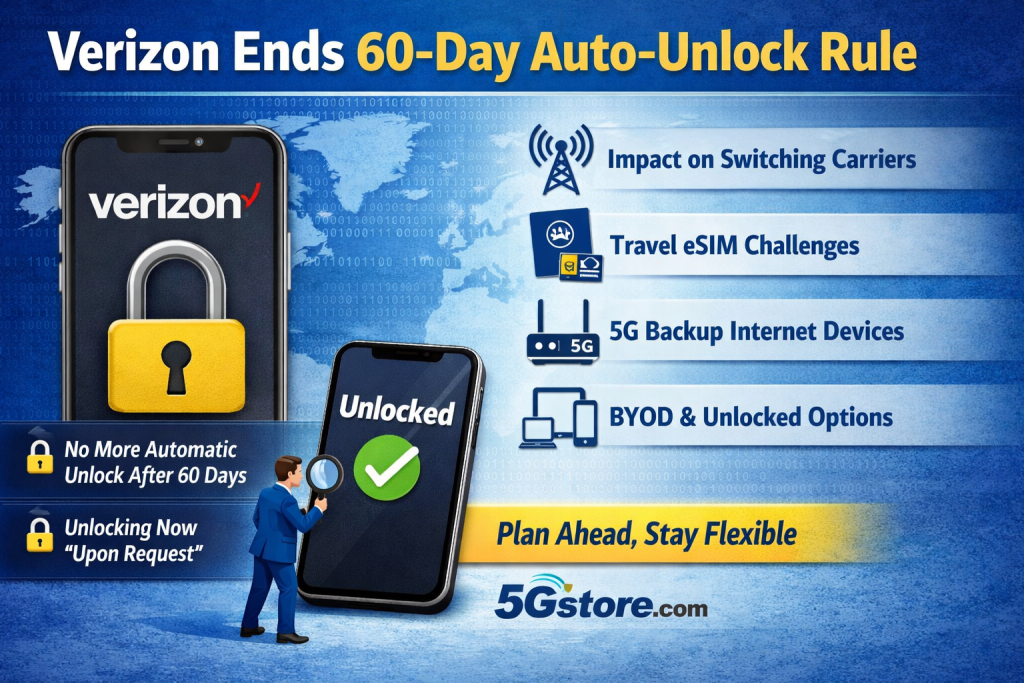
On January 12, 2026, the FCC approved a waiver that lets Verizon move away from its long-standing requirement to automatically unlock phones 60 days after activation. In practical terms, that means more devices will stay locked longer, and unlocking is more likely to require you to request it and meet eligibility rules.
Below is what changed, why it matters, and how to protect your flexibility, especially if you rely on cellular for business continuity, remote work, or 5G backup internet.
What “phone unlocking” actually means
A “locked” phone (or cellular device) is restricted to a specific carrier’s network. Even if the hardware supports other carriers’ bands, the carrier lock prevents another SIM or eSIM profile from working until the device is unlocked.
An “unlocked” device can typically be used on multiple compatible carriers, which is useful for:
- Switching carriers without buying new hardware
- Using dual-SIM or eSIM for backup connectivity
- Adding a travel eSIM when you are out of the country
- Moving a device from a primary line to an MVNO
- Using a cellular device as an on-demand failover connection
What changed with Verizon’s unlocking policy
For years, Verizon was in a unique position: it was required to automatically unlock devices after 60 days of activation. That requirement is now waived, meaning Verizon can align with the wireless industry’s broader unlocking guidelines.
What that usually means in real life:
- Devices may remain locked until a contract term is completed or a device payment plan is paid off
- Prepaid devices often have longer timelines before they are eligible for unlocking
- Unlocking may be “upon request” instead of automatic
- You may need to meet specific eligibility requirements before Verizon will unlock the device
Important detail: this change applies to new activations after the FCC’s order. If you already have a device active on Verizon, it may not be impacted the same way as new purchases and activations going forward.
Why the FCC agreed to the change
The FCC framed this decision as an anti-fraud measure. The argument is that faster unlocking can make it easier for criminals to steal devices and resell them once they become eligible to be used on other networks.
Whether you agree with the reasoning or not, the takeaway is simple: Verizon customers should expect fewer devices to unlock automatically on a predictable 60-day timeline.
How this impacts consumers and businesses
1) Switching carriers can take longer
If you buy a phone through Verizon and plan to move it to another carrier soon after purchase, you may be waiting longer than you used to.
2) Travel eSIM plans may be harder to use on carrier-financed phones
Travel eSIMs are a great option for international trips. But a locked device can block adding an eSIM profile from a different provider.
3) BYOD and “bring your own SIM” strategies become more important
If flexibility matters, the simplest path is often to start with factory-unlocked hardware and choose service separately.
4) This is not just about phones
Many people focus on smartphones, but carrier locking can also apply to other cellular devices, including hotspots and certain mobile broadband products. If you plan to repurpose hardware for backup internet or multi-carrier coverage, locking can become a real operational problem.
What this means for 5G backup internet and multi-carrier setups
At 5Gstore, a common goal we hear is: “I want reliable internet, and I want options.”
Carrier locking works against that goal.
If you are building a resilient setup, for example:
- Primary internet plus cellular failover
- Remote site connectivity with a second carrier ready to go
- Temporary connectivity for events, construction sites, or pop-up locations
- A travel kit that can use local SIMs
Then unlocked hardware is usually the cleanest path. It lets you choose the carrier that works best at each location and change plans as coverage, pricing, and performance evolve.
Practical tips to avoid lock-related surprises
- Buy unlocked if flexibility is the priority
Factory-unlocked devices remove most of the friction. - If you buy from a carrier, assume it may stay locked longer
Plan for it, especially if you might switch providers within the first few months. - Before traveling, confirm your device is unlocked
Do not wait until you are at the airport to find out you cannot add a travel eSIM. - Know the difference between “compatible” and “unlocked”
A device can support a carrier’s bands and still be locked from using that carrier. - For business deployments, standardize on unlock-friendly procurement
This avoids downtime when a location needs a quick carrier change due to congestion, outages, or coverage gaps.
How to check if your phone is unlocked
On iPhone:
Settings > General > About > look for “Carrier Lock” (it should say “No SIM restrictions” if unlocked)
On Android:
The exact menu varies, but you can often check under Settings > Connections (or Network & Internet) > SIMs.
The most reliable test is inserting a SIM from another carrier and seeing if it activates.
5Gstore Take
If your connectivity plan includes “options” (backup carriers, travel eSIMs, moving devices between sites, or upgrading service without replacing hardware), device unlocking matters more than most people realize.
This FCC decision is a good reminder to design your connectivity around flexibility from day one. That usually starts with unlocked hardware and a carrier plan you can change when your needs change.
FAQ
What does it mean when a phone is “locked” to a carrier?
A locked phone is restricted to one carrier’s network. You cannot use another carrier’s SIM or eSIM until it is unlocked.
Did Verizon used to unlock phones automatically after 60 days?
Yes, for many devices Verizon had an automatic 60-day unlock practice tied to FCC requirements. The FCC waiver means Verizon can now follow broader industry unlocking guidelines instead.
Who is affected by this change?
It mainly affects new device activations after the FCC order. Existing active devices may not be impacted in the same way as new purchases going forward.
Will Verizon still unlock phones?
In most cases, yes, but unlocking may require that you meet eligibility rules (for example, completing payment obligations) and may be done upon request rather than automatically.
How does this impact travel eSIMs?
If your phone is locked, you may not be able to add or use a travel eSIM from another provider. Verify unlock status before you travel.
Does this affect hotspots or cellular data devices too?
Carrier locks can apply to more than just phones. If you plan to reuse a cellular device with a different SIM for backup internet, locking can prevent that.
What is the easiest way to avoid unlocking issues?
Start with factory-unlocked hardware and pick your plan separately. That keeps you in control if you need to switch carriers later.
