
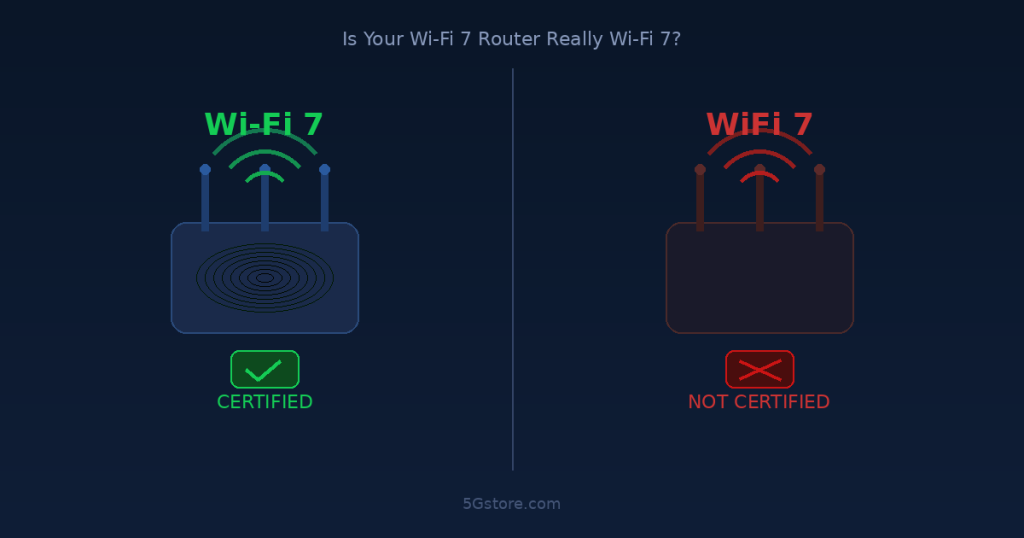
Is your WiFi 7 Router listed as WiFi 7 or Wi-Fi, missing the hypen or not? It matters
Wi-Fi 7 has been marketed as the biggest leap in wireless technology in years. Faster speeds, lower latency, smarter band management — the promises are impressive. But there is a growing problem hiding in plain sight: a significant number of routers being sold as “Wi-Fi 7” today either are not officially certified, omit key features, or are using a deliberate branding loophole to avoid delivering what customers expect. If you have bought a Wi-Fi 7 router recently — or are thinking about buying one — this is something you need to understand.
What Wi-Fi 7 Is Actually Supposed to Do
Wi-Fi 7 is the marketing name for the IEEE 802.11be standard (finalized in July 2025), which the Wi-Fi Alliance certifies as “Wi-Fi CERTIFIED 7.” The standard introduces several meaningful improvements over Wi-Fi 6 and 6E:
320 MHz channel widths. This doubles the channel width available in the 6 GHz band compared to Wi-Fi 6E, which helps push throughput higher in clean spectrum.
4K-QAM (4096 Quadrature Amplitude Modulation). Instead of encoding 10 bits per symbol (as Wi-Fi 6 does), Wi-Fi 7 encodes 12 bits per symbol — a roughly 20% improvement in peak data rates under ideal conditions.
Multi-Link Operation (MLO). This is the headliner. MLO allows a device to connect to the router across multiple frequency bands simultaneously — 2.4 GHz, 5 GHz, and 6 GHz all at once — instead of picking one band and sticking with it. The idea is that your connection becomes faster, more reliable, and less affected by interference because traffic can shift dynamically between bands.
Of these features, MLO is the one that really sets Wi-Fi 7 apart. It is listed as a mandatory feature for a device to carry the Wi-Fi CERTIFIED 7 label. And that is where things get complicated.
The “Wi-Fi” vs. “WiFi” Loophole
Here is something that should concern any networking buyer: the Wi-Fi Alliance owns the trademark for “Wi-Fi” (with a hyphen). When a manufacturer markets a product as “Wi-Fi 7,” they are implicitly claiming compliance with the Wi-Fi Alliance’s certification standards.
But if a manufacturer drops the hyphen and calls it “WiFi 7” or “WiFi7” — no hyphen — they are no longer technically using the trademarked term and are not bound by the Wi-Fi Alliance’s branding or feature requirements. Some very large and well-known networking brands have been caught doing exactly this, marketing products as “WiFi 7” while omitting features like MLO entirely.
This is not a minor technicality. Customers spending hundreds of dollars on a router expect that “WiFi 7” means the same thing as “Wi-Fi 7.” In many cases, it does not.
The MLO Reality: Even Certified Routers Fall Short
Even when routers are genuinely Wi-Fi CERTIFIED 7, the MLO experience is often not what is advertised.
The core issue is the difference between two MLO modes:
STR (Simultaneous Transmit and Receive): This is the “real” MLO. Both radios are active at the same time, aggregating bandwidth across multiple bands simultaneously. This requires capable hardware and adds real-world performance.
NSTR (Non-Simultaneous Transmit and Receive): This is the minimal fallback. The device rapidly alternates between bands but only one radio is active at a time. It is essentially band steering dressed up as MLO. Technically, a router only has to support NSTR to be called Wi-Fi 7 — even though this provides little meaningful advantage over what older routers already do.
Independent testing by RTINGS.com found that of 25 routers advertised as Wi-Fi 7, only three were actually “Wi-Fi CERTIFIED 7.” More striking, their testing showed that even among certified devices, simultaneous true MLO (STR) was not being delivered. Enabling or disabling MLO on many routers produced no measurable difference in throughput, latency, or connection stability compared to simply using the 6 GHz band alone.
Real-world reviewers at Tom’s Hardware found similar results — in extensive testing, enabling MLO resulted in a 1-2% difference at best, and non-MLO connections often performed better in practice.
There is also an important client-side dependency: MLO only works if the device connecting to the router also supports Wi-Fi 7. Most smartphones, laptops, and IoT devices in homes and businesses today are still running Wi-Fi 5 or Wi-Fi 6. Even a fully featured Wi-Fi 7 router with real STR support cannot deliver MLO benefits to those devices.
What About the Brands We Carry at 5Gstore?
Our customer base tends to prioritize cellular connectivity and enterprise-grade networking over consumer Wi-Fi, and that is actually an advantage here. The brands we carry approach Wi-Fi 7 differently than consumer router manufacturers.
Peplink / Pepwave recently launched their first Wi-Fi 7 access point, the AP One Enterprise. It is a tri-band 802.11be device supporting 2.4, 5, and 6 GHz simultaneously, with dual 10G Ethernet for backhaul. Peplink is transparent about this being an enterprise-class product — it is designed for commercial deployments, not home use. Peplink’s approach has always been to prioritize SD-WAN and cellular reliability first, with Wi-Fi as a local distribution layer. That focus tends to result in more honest, deliberate product development rather than chasing benchmark headlines.
Cradlepoint (Ericsson) has introduced Wi-Fi 7 into their enterprise lineup with the E400 router, which combines 5G cellular with Wi-Fi 7 and embedded eSIM. Cradlepoint’s products are primarily designed as cellular-first WAN devices where the Wi-Fi radio serves as a local access point for branch or mobile deployments. The enterprise market context means less pressure to hype Wi-Fi 7 feature sets in misleading ways — these products are sold to IT departments that scrutinize specifications carefully.
Teltonika, Digi, and Inseego remain focused on cellular routing for industrial and IoT applications. Wi-Fi on these platforms is typically a convenience feature for local management and client access rather than a performance showcase. As Wi-Fi 7 chipsets become standard-issue in new silicon, these manufacturers will incorporate the technology matter-of-factly rather than as a marketing centerpiece.
The broader takeaway for our customers: the brands we carry tend not to make Wi-Fi 7 the lead selling point, because cellular reliability and WAN failover are the real value proposition. That is a feature, not a limitation.
How to Actually Evaluate a Wi-Fi 7 Router
If you are evaluating a Wi-Fi 7 router — whether for a home office, a branch location, or a larger deployment — here is what to look for:
Look for the “Wi-Fi CERTIFIED 7” label specifically. Not “Wi-Fi 7 Ready,” not “WiFi7,” not “Next-Gen WiFi.” The Wi-Fi Alliance certification mark means the device went through formal testing. It is not a guarantee of STR MLO, but it is a baseline.
Check whether it is dual-band or tri-band. A dual-band Wi-Fi 7 router does not have a 6 GHz radio. Without 6 GHz, you lose the most significant capacity advantage of Wi-Fi 7, and MLO is limited to two bands. Tri-band (2.4 + 5 + 6 GHz) is required to get the most from the standard.
Read the specs, not just the marketing. Does the product page actually mention MLO? Does it specify STR or NSTR? If a manufacturer is not willing to spell out which MLO mode is supported, that is a red flag. Peplink, for example, is forthcoming in their technical documentation. Brands that hide behind marketing language are often hiding limited implementations.
Consider your client device ecosystem. If the devices connecting to your router are mostly Wi-Fi 5 and 6, the MLO benefit is zero — those devices cannot participate. An excellent Wi-Fi 6E router might serve you better and cost less than a Wi-Fi 7 router that offers minimal real-world gains in your actual environment.
For enterprise and cellular routing use cases, prioritize WAN resilience over Wi-Fi generation. The cellular failover, SD-WAN capability, and management platform of a Peplink or Cradlepoint device will do more for your operational reliability than whether its local Wi-Fi radio supports STR or NSTR MLO.
The Bigger Picture
Wi-Fi 7 is a real and meaningful standard. When hardware and client ecosystems mature, the benefits of MLO — particularly reduced latency and improved reliability in dense multi-device environments — will become tangible. But we are in the early adoption phase, and the market has allowed significant confusion to accumulate around branding and feature completeness.
The missing hyphen trick is a genuine issue. RTINGS data showing that most “Wi-Fi 7” routers do not deliver real simultaneous MLO is a genuine issue. The dependency on Wi-Fi 7 client devices that most people do not yet own is a genuine issue.
None of this means Wi-Fi 7 hardware is bad. The 6 GHz band access, wider channels, and improved OFDMA are all real benefits even without full MLO. But if a vendor’s pitch rests entirely on MLO performance claims and the product page says “WiFi 7” without a hyphen and never mentions MLO by name, walk away.
5Gstore Take
At 5Gstore, we have spent two decades helping customers make sense of wireless technology — cutting through the noise to find equipment that actually works for real-world applications. Wi-Fi 7 is going through exactly the kind of first-generation growing pains we have seen before with new wireless standards: big promises, marketing loopholes, and implementations that lag behind the spec.
Our advice is to buy for your actual use case. If you need bulletproof cellular connectivity with local Wi-Fi coverage, a Peplink or Cradlepoint platform with an integrated or paired Wi-Fi 7 access point will serve you far better than a consumer “WiFi 7” box with a misleading spec sheet. If you are outfitting a business location with a standalone access point, the Peplink AP One Enterprise is a legitimate, well-documented Wi-Fi 7 option from a manufacturer that is transparent about what the product does.
As always, we are here to help you navigate these decisions. Contact us at 5Gstore.com and our team will walk through your specific requirements and find the right solution — no hyphen games required.
Frequently Asked Questions
Is there a difference between “Wi-Fi 7” and “WiFi 7”?
Yes, and it matters. “Wi-Fi” with a hyphen is a trademarked term owned by the Wi-Fi Alliance. When a manufacturer uses the hyphenated version, they are at least implicitly associating with the certification standard. “WiFi” without a hyphen is used by some brands to avoid the Wi-Fi Alliance’s branding rules and feature requirements. It is a way to benefit from Wi-Fi 7 marketing without delivering Wi-Fi 7 features.
Does my router need to be Wi-Fi CERTIFIED 7 to be a good router?
Not necessarily. Many excellent routers are built on 802.11be hardware but are not formally certified. Certification costs money and takes time, particularly for smaller vendors. The key is to verify specific features — tri-band support, which MLO mode is implemented, and whether firmware is actively developed — rather than relying on the certification label alone.
Does my phone or laptop need to support Wi-Fi 7 for me to benefit?
For MLO benefits specifically, yes. Both the router and the connecting device must support Wi-Fi 7 for MLO to function. Other improvements like access to the 6 GHz band (if your device supports Wi-Fi 6E) and improved OFDMA may offer some benefit even with non-Wi-Fi 7 clients.
Should businesses upgrade to Wi-Fi 7 now?
It depends on your environment. For most branch and small business deployments, a well-configured Wi-Fi 6E or Wi-Fi 6 network with solid cellular failover will outperform a poorly implemented Wi-Fi 7 network in practical terms. If you are outfitting a new deployment and want to be positioned for the next several years, a genuine tri-band Wi-Fi 7 access point from a reputable vendor is a reasonable investment. Contact us for a recommendation based on your specific needs.
What is the difference between STR and NSTR MLO?
STR (Simultaneous Transmit and Receive) means the device has multiple active radios operating across different bands at the same time — this is the full MLO experience. NSTR (Non-Simultaneous Transmit and Receive) means the device rapidly alternates between bands but only one radio transmits at a time. NSTR is the minimum required for Wi-Fi 7 certification and provides marginal real-world benefit over previous-generation band steering.
External reference: How-To Geek: Your Wi-Fi 7 Router Might Not Actually Be Wi-Fi 7
Related reading at 5Gstore: Peplink AP One Enterprise Wi-Fi 7 Access Point
