
Table of Contents
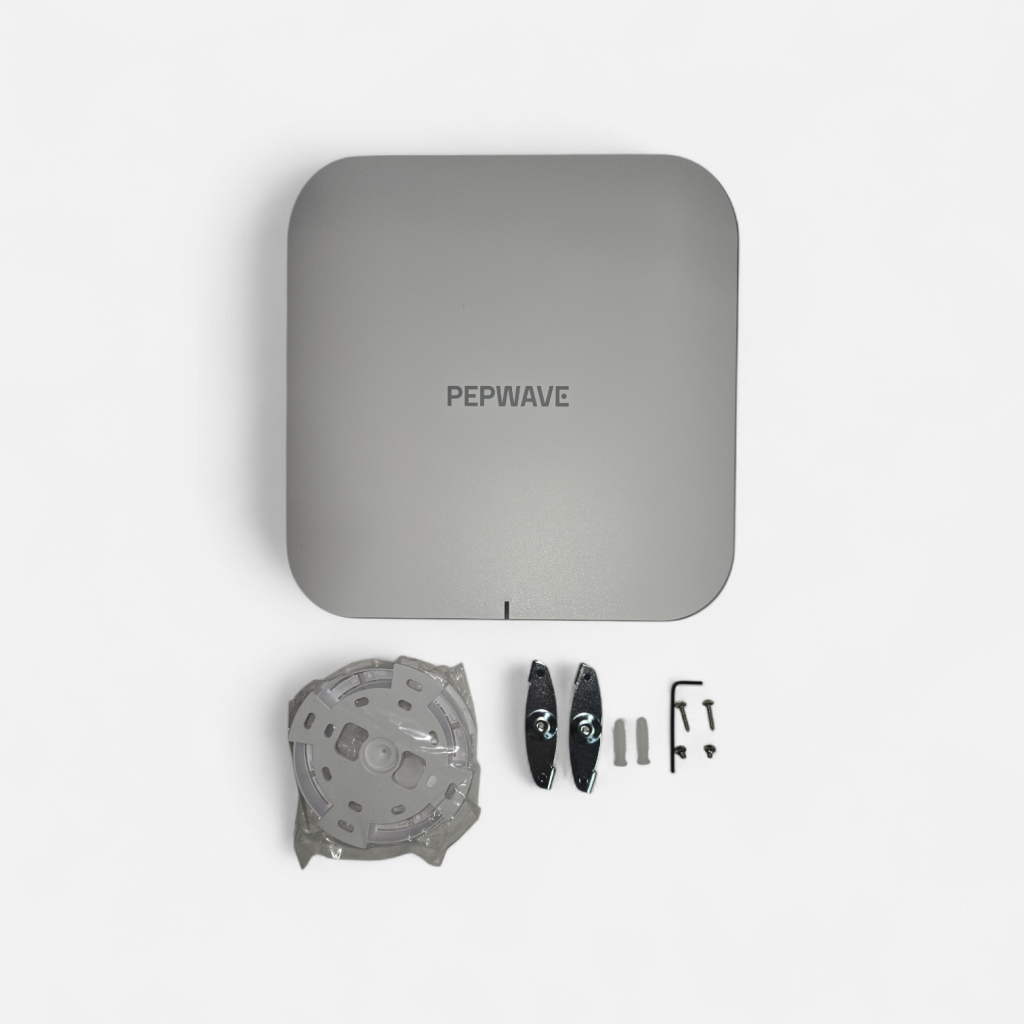
Peplink just raised the bar for business WiFi with the new AP One Enterprise WiFi 7, and it’s built for environments where coverage, capacity, and reliability matter every day.
The big story here is simple: WiFi 7 performance is only as good as the network behind it, and this access point was designed with the horsepower to keep up, thanks to tri-band WiFi (2.4 / 5 / 6 GHz) and dual 10G Ethernet for high-speed backhaul and wired expansion.
✅ In stock now at 5Gstore:
https://5gstore.com/product/21269_pepwave_ap_one_enterprise_wifi7
What Makes WiFi 7 a Big Deal for Business Networks?
WiFi 7 is the next major step forward in wireless performance, especially for modern workplaces where dozens (or hundreds) of devices connect at once.
Compared to older generations, WiFi 7 is designed to deliver:
- Higher throughput for fast downloads, uploads, and large file transfers
- Lower latency for real-time apps like voice, video calls, and cloud tools
- More capacity in crowded environments with lots of connected clients
- Better performance for multi-device workplaces (laptops, phones, scanners, cameras, IoT, POS systems, and more)
And one of the biggest upgrades is support for 6 GHz, which helps reduce interference and congestion in busy WiFi environments.
Important note: 6 GHz support depends on local country regulations, so it must be used where permitted.
Tri-Band 2.4 GHz + 5 GHz + 6 GHz: Better Speed and Better Stability
The AP One Enterprise is simultaneous tri-band, meaning it can serve devices across:
- 2.4 GHz (longer range, great for IoT and coverage)
- 5 GHz (strong mix of speed + range)
- 6 GHz (cleaner spectrum, built for high-performance WiFi)
This is a huge advantage in real-world business deployments because you’re not forcing all devices into the same crowded lane. Instead, you’re spreading traffic intelligently across multiple bands to improve performance.
Dual 10G Ethernet Ports: Built to Keep Up with WiFi 7
One of the standout features is dual 10G multi-gig Ethernet ports.
That matters because many access points can advertise fast WiFi speeds… but they bottleneck on the wired side. With WiFi 7, the wireless capacity is high enough that 1G uplinks can become the limiting factor.
With dual 10G, you get:
- High-speed backhaul to your core switch or router
- A second port to bridge to another switch or connect wired equipment
- A better foundation for high-density enterprise deployments
If you’re building a modern network, this is the kind of access point design you want.
Wireless Mesh Support: Extend Coverage Without Pulling Cable
Need to expand coverage in a warehouse, office, school, hotel, or large retail space?
The AP One Enterprise supports wireless mesh, which allows you to extend your network where running cable is difficult, expensive, or simply not possible.
With tri-band capacity, mesh becomes more practical because you have more wireless bandwidth available to handle:
- Client traffic
- Mesh communication
- High device density
In plain terms: you can scale coverage without sacrificing stability.
Power Options: PoE++ or DC
The AP One Enterprise supports:
- 802.3bt PoE++ input
- DC power input (12V / 4A)
This gives you flexibility depending on how your network is built. For many business installs, PoE is the cleanest option since it simplifies mounting and reduces the need for outlets.
Note: AC/DC adapter and PoE injector are not included, so you’ll want to plan power accordingly.
Security Options for Real Businesses (Guest + Employee WiFi)
Business WiFi needs more than just a password.
This access point supports a full range of enterprise-grade security, including:
- WPA3-Personal
- WPA3-Enterprise
- Enhanced Open (OWE)
- WPA2/WPA3 mixed modes (useful during migration)
- Multiple SSIDs with segmentation options
That means you can support:
- A secure employee SSID
- An isolated guest SSID
- Separate networks for IoT devices
- VLAN-based segmentation for tighter control
Captive Portal + Management: Control It Your Way
You can manage the AP One Enterprise in several ways:
Option 1: Local Control with AP Controller
If you want local management, Peplink’s built-in AP Controller gives you direct control from the router side.
Option 2: Cloud Management with InControl
If you want a unified management experience across sites and devices, you can manage through InControl, including support for a customizable captive portal for guest WiFi.
Captive portals are especially useful for:
- Hotels and hospitality
- Retail and customer WiFi
- Waiting rooms and offices
- Temporary networks and events
You can also apply time/usage controls, branding, and flexible login options.
Key Specs at a Glance
Here are some of the highlights network admins care about:
- WiFi Standard: WiFi 7 (4×4 MIMO)
- Bands: 2.4 GHz / 5 GHz / 6 GHz (tri-band)
- Max Data Rates:
- 2.4 GHz: up to 1,374 Mbps
- 5 GHz: up to 5,755 Mbps
- 6 GHz: up to 11,511 Mbps
- Channel Widths: up to 320 MHz
- Ethernet: 2x 10G multi-gig RJ45
- Multiple SSIDs: up to 16
- Recommended clients per radio: up to 512
- Power: 802.3bt PoE++ or 12V DC
- Power draw: 37W nominal / 39W max
- Indoor rated
- Operating temp: 32°F to 104°F
- Warranty: 1-year limited warranty
Where the AP One Enterprise WiFi 7 Makes the Most Sense
This access point is an excellent fit for:
- Warehouses & distribution centers (scanners, tablets, VoIP, cameras)
- Medical offices (secure segmentation + lots of devices)
- Retail environments (POS + guest WiFi + back office)
- Schools / training rooms (high-density WiFi)
- Corporate offices (video calls, conferencing, cloud apps)
- Multi-site businesses that want centralized management
If you are already running Peplink routers and InControl, the management experience becomes even more valuable. Contact 5Gstore for assistance.
Get It Now at 5Gstore (In Stock)
If you’re ready to modernize your business WiFi and want an access point that’s designed to keep up with WiFi 7 demands, the Peplink AP One Enterprise WiFi 7 is available now.
👉 Product page (in stock):
https://5gstore.com/product/21269_pepwave_ap_one_enterprise_wifi7
Quick FAQ
Is this access point backward compatible with older devices?
Yes. Your existing WiFi 6, WiFi 5, and WiFi 4 devices can still connect normally.
Do I need a 10G switch to use it?
Not required, but to fully benefit from WiFi 7 performance in high-demand deployments, a multi-gig or 10G uplink is strongly recommended.
Can it be used for guest WiFi with a login page?
Yes. It supports a customizable captive portal (especially when managed through InControl).
Does it support mesh?
Yes, it supports wireless mesh to help expand coverage without pulling more cable.
Will 6 GHz work everywhere?
6 GHz depends on local regulations, so it’s available in countries where 6 GHz WiFi is permitted.
