Please Wait...

Compare 4G/5G Routers & Find the Best One for Your Needs | 5Gstore

Easily compare 4G/5G routers side by side with our Router Comparison Tool! Select multiple routers from top brands like Peplink, Cradlepoint, Netgear, Sierra Wireless, Teltonika and more to see a detailed breakdown of specs, features, and performance. Our tool highlights key differences in bands, speeds, ports, failover capabilities, WiFi standards, and more, helping you choose the best router for home, business, vehicles, or IoT applications. Get expert insights with our 5Gstore Take analysis and make an informed decision today!


VS


VS


VS


+

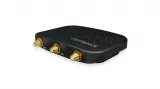
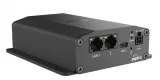
Peplink MAX Adapter Cat 6 vs Peplink Max Adapter

  Peplink MAX Adapter Cat 6 Peplink Max Adapter
 

Peplink MAX Adapter Cat 6

MAX-ADP-LTEA-W-T

Peplink Max Adapter

MAX-ADP-LTE-US-T-PRM
 
In Stock
... more info
In Stock
... more info
Rating
Manufacturer Peplink Peplink
Price $249.00 $199.00
Popularity Highly viewed Extremely popular
Connectivity
No. of Cellular Connectors 2 2
No. of WiFi Connectors 0 0
No. of GPS Connectors 1 1
Cellular Connector SMA Female SMA Female
GPS Connector SMA Female SMA Female
Modem
4G/LTE Support Yes Yes
5G Support No No
C-Band Support No No
FirstNet Support No Yes
APAC Support No No
mmWave Support No No
Networking
No. of LAN Ports 0 2
No. of WAN Ports 0 0
No. of Fiber (SFP) Ports 0 0
No. of Serial Ports 0 0
Ports Configurable as LAN/WAN No No
USB Port LAN
Cellular
No. of Embedded Modems 1 1
SIM Card Size 4FF 4FF
eSIM Support Yes Yes
Antennas Included Yes Yes
Modem Expansion Slot No No
Modem Replaceable No No
Antenna Frequency 4G/LTE Band 12/13/17/29 (700mhz)
4G/LTE Band 5/26 (850MHz)
4G/LTE Band 3 (1800MHz)
4G/LTE Band 2/25 (1900MHz)
4G/LTE Band 4/66 (1700/2100MHz)
4G/LTE Band 41 (2500MHz)
4G/LTE Band 7 (2600MHz)
4G/LTE Band 71 (600Mhz)
4G/LTE Band 12/13/17/29 (700mhz)
4G/LTE Band 14 (FirstNet)
4G/LTE Band 5/26 (850MHz)
4G/LTE Band 2/25 (1900MHz)
4G/LTE Band 4/66 (1700/2100MHz)
Certified Carrier AT&T
T-Mobile
UScellular
Verizon
FirstNet
Features
FIPS Certified No No
Cloud Management Included Yes Yes
Bluetooth No No
Bonding Support No No
IP Passthrough Yes Yes
Size
Length (in) 2.8 5
Width (in) 3.9 4.2
Height (in) 0.6 1.4
Misc.
WAN Throughput Speed 300 Mbps 150 Mbps
Weight (lb) 0.3 0.78
Minimum Temperature (F) 32 -22
Maximum Temperature (F) 104 149
Material Metal
Power Input 5V USB-C Power Port: 9V – 36V DC USB-C Port: 5V DC
Country of Origin Taiwan Taiwan
Additional Info
Service Items View Available Service Items View Available Service Items
Compatible Antennas Show Compatible Antennas Show Compatible Antennas
PDFs
Latest Blog Posts
  • Top 11 Peplink PrimeCare Benefits
  • Save 10% on Peplink PrimeCare Warranty Renewals and More!
  • Peplink Firmware 8.5.0: Now Available – Unlock Next-Level Control and Connectivity
  • Pushover: A Push Notification Solution for Peplink & Incontrol 2
  • Peplink InControl 2 Version 2.13.2: A Leap Forward in Cloud Management
  • Increase Peplink or CradlePoint Speeds by Locking into different bands
  • Peplink MAX Adapter 2.0
  • Top 11 Peplink PrimeCare Benefits
  • Save 10% on Peplink PrimeCare Warranty Renewals and More!
  • Peplink Firmware 8.5.0: Now Available – Unlock Next-Level Control and Connectivity
  • Pushover: A Push Notification Solution for Peplink & Incontrol 2
  • Peplink InControl 2 Version 2.13.2: A Leap Forward in Cloud Management
  • Increase Peplink or CradlePoint Speeds by Locking into different bands
  • Latest YouTube Videos
  • Peplink - How to Configure and View Your Starlink Connection
  • Peplink - How to Activate the Bring Your Own eSIM Option
  • Peplink - Using Cold Standby Mode to Help Save Data
  • Peplink - How to Configure a Preferred SIM
  • Peplink - How to Configure Content Blocking
  • Peplink USB WAN Port - Can I Use a USB to Ethernet Adapter?
  • Peplink InTouch - How to Configure
  • Pepwave Cellular Signal - How to Check?
  • Peplink SpeedFusion Hot Failover VS Typical Failover Routers
  • Peplink/Pepwave - Creating Your InControl2 Management Account
  • Peplink MAX Adapter 2.0 - Unboxing
  • Peplink - How to Configure and View Your Starlink Connection
  • Peplink - How to Activate the Bring Your Own eSIM Option
  • Peplink - Using Cold Standby Mode to Help Save Data
  • Peplink - How to Configure a Preferred SIM
  • Peplink - How to Configure Content Blocking
  • Peplink USB WAN Port - Can I Use a USB to Ethernet Adapter?
  • Peplink InTouch - How to Configure
  • Pepwave Cellular Signal - How to Check?
  • Peplink SpeedFusion Hot Failover VS Typical Failover Routers
  • Large Deployment
    Have a large deployment? Request a Quote Request a Quote
    5Gstore Summary The MAX Adapter Cat 6 is a niche selection that 5Gstore sells.
    95.83% of the customers that purchase keep this router.
    Based on customer traffic, the MAX Adapter Cat 6 highly viewed.
    There are 2 reviews for this product.
    The MAX Adapter Cat 6 has 1 internal modem.
    The MAX Adapter Cat 6 has same number of internal modems as the Max Adapter so this is a good comparison.
    The Max Adapter is an emerging favourite that 5Gstore sells.
    96.79% of the customers that purchase keep this router.
    Based on customer traffic, the Max Adapter extremely popular.
    There are 2 reviews for this product.
    The Max Adapter has 1 internal modem.
    The Max Adapter has same number of internal modems as the MAX Adapter Cat 6 so this is a good comparison.

    This comparison has been viewed 3 times as of 12/09/2025 03:53am