Please Wait...

If you purchase Peplink or Pepwave equipment from 5Gstore, you can take advantage of a number of optional upgrades and add-ons. In addition to the standard one-year warranty or PrimeCare subscription included with Peplink/Pepwave equipment, you can also purchase additional extended warranties (aka EssentialCare) or PrimeCare coverage.
NOTE: If your PrimeCare subscription expires, you lose access to many benefits, including:
Fortunately, even if your subscription has expired, Peplink allows you to renew PrimeCare, even if the warranty has lapsed by more than 30 days. However, in such cases, you will need to provide a Diagnostic Report to confirm that your device is functioning properly.
Some devices offer additional features that do not come standard but can be unlocked via a license key (additional WAN ports, SpeedFusion functionality, etc). Those licenses can also be purchased here to upgrade your router.
To order add-ons for Peplink/Pepwave products, use the below links:
At 5Gstore, purchasing PrimeCare renewals are fast and easy. We’ve partnered with Peplink to automate and streamline the renewal process, ensuring that your service is reinstated in minutes—any time of day.
Before purchasing any PrimeCare renewals, you need your device’s serial number (S/N). If you’re unsure where to find it, check out our detailed guide here: 5Gstore Peplink Service Automation.
When placing an order at 5Gstore, simply enter your serial number in our search box. Our system will automatically display all service items available for your specific device.
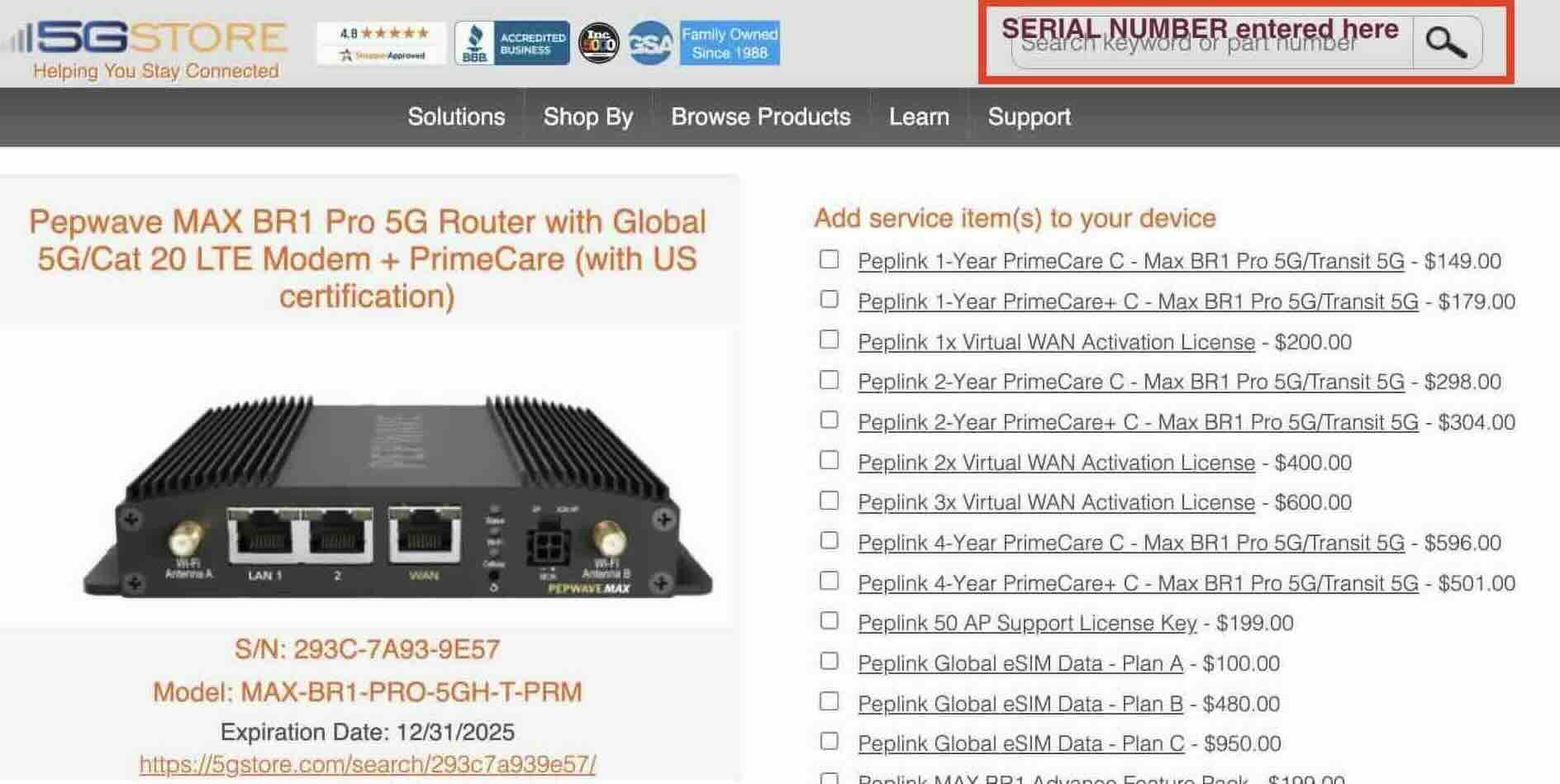
If your device’s warranty has expired, our system will prompt you to upload a Diagnostic Report during checkout. This report verifies that your device is still in good working condition before Peplink processes the renewal.
5Gstore’s system verifies your serial number, ensures the correct service item is selected, and automatically processes the order within minutes. Whether you need to renew one device or thousands, our system is built for efficiency and accuracy.