
Table of Contents
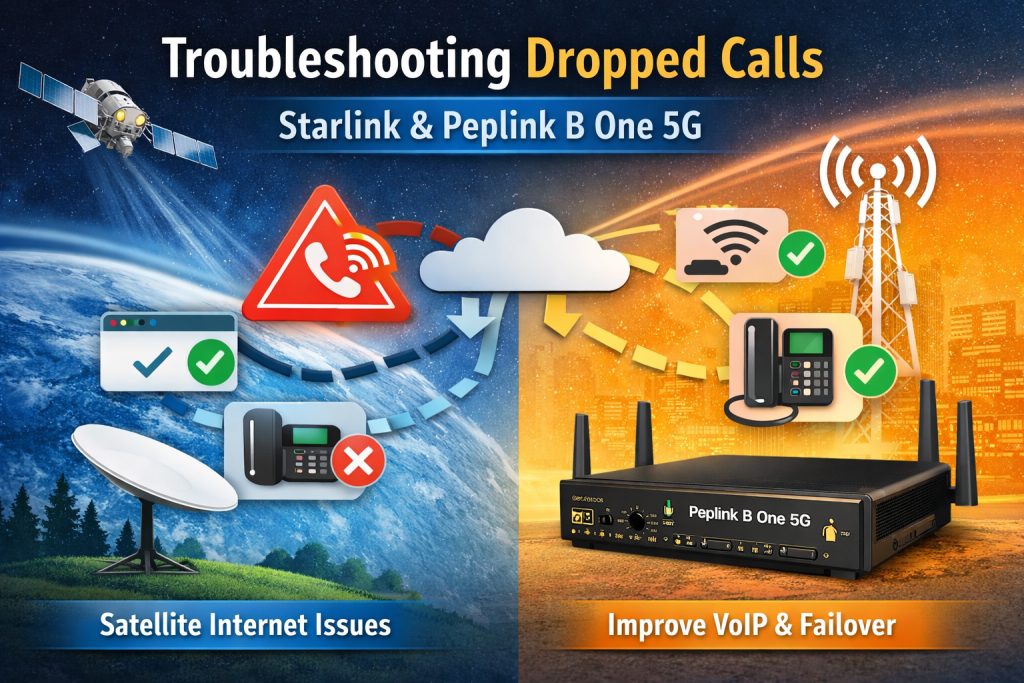
Troubleshooting Dropped Calls with Starlink and Peplink B One 5G
Overview
Many remote homes, cabins, and temporary sites rely on Starlink for primary internet access and a Peplink B One 5G router for cellular backup. This combination works well for general browsing, streaming, and downloads, but some users experience dropped voice calls, poor VoIP quality, or unstable video calls.
These issues are usually not caused by a faulty router or misbehaving phone. Instead, they are the result of how real time voice traffic behaves over satellite connections and how traffic is routed between Starlink and cellular links. This article explains what is happening and how to configure your Peplink router to improve call reliability.
Common Symptoms Users Report
When combining Starlink with a Peplink B One 5G, users commonly notice:
- Dropped voice or WiFi calls while general internet continues to work
- Choppy audio or one way audio on VoIP and video calls
- Calls dropping even though speed tests look good
- Cellular eSIM data usage increasing rapidly without fixing call quality
- Streaming services working fine while Zoom or WiFi calling fails
These symptoms are especially common in wooded or partially obstructed locations where Starlink experiences short interruptions.
Why Voice Calls Fail When Internet Appears Fine
Voice traffic is far more sensitive than normal data traffic. A web page can tolerate delays and retries. A voice call cannot.
Starlink uses low earth orbit satellites that hand off connections frequently. While average latency is low for satellite internet, short spikes in latency, jitter, or packet loss can occur. Even brief interruptions can cause a call to drop.
Streaming video buffers ahead. Voice calls do not. That is why Netflix may work perfectly while a phone call drops.
Key Configuration Tips for Better Call Reliability
Set Smart WAN Priorities
One of the most effective steps is telling the Peplink router which connection should handle voice traffic.
- Configure traffic rules so VoIP and WiFi calling prefer cellular when available
- Allow Starlink to handle general browsing, downloads, and streaming
- Use latency and packet loss thresholds so voice traffic moves away from Starlink when quality drops
This allows calls to stay on the most stable path even if it is slower.
Use SpeedFusion for Failover, Not Just Bonding
SpeedFusion can do more than bonding.
For voice reliability:
- Enable hot failover so sessions move instantly between WANs
- Set aggressive latency and packet loss thresholds
- Avoid relying solely on WAN smoothing for voice calls
Failover is often more reliable for VoIP than trying to smooth an unstable satellite link.
Improve Starlink Signal Quality
Even small Starlink interruptions matter for voice traffic.
- Mount the dish where it has the clearest possible view of the sky
- Minimize tree coverage and obstructions
- Regularly check Starlink obstruction reports
Reducing micro dropouts can significantly improve call stability.
👉 Check your address to see what plans are available
Monitor Real Time Link Performance
Use the Peplink dashboard to monitor:
- Latency and packet loss per WAN
- Link health history
- Failover behavior during calls
Watching how the router behaves during a dropped call often reveals whether Starlink latency or cellular signal quality is the root cause.
When Cellular Backup Becomes Essential
If voice reliability is critical, such as for work from home, emergency access, or business use, Starlink alone may not be enough in challenging environments.
A properly configured cellular backup with external antennas can:
- Provide a lower latency path for voice
- Take over instantly during Starlink interruptions
- Keep calls active during satellite handoffs
This is where a Peplink B One 5G paired with strong cellular signal really shines.
Questions? Reach out to 5Gstore
Frequently Asked Questions
Can a multi carrier eSIM fix dropped calls on Starlink?
A multi carrier eSIM provides flexibility and coverage, but it does not automatically solve satellite latency issues. It works best when paired with proper routing rules that move voice traffic to cellular when Starlink quality drops.
Does SpeedFusion automatically fix VoIP problems?
SpeedFusion is powerful, but defaults are not always ideal for voice traffic. Proper thresholds, failover settings, and traffic rules are required to see real improvement.
Should I always route voice over cellular instead of Starlink?
In many environments, yes. Cellular usually provides more consistent latency for real time traffic. Starlink is excellent for bulk data and streaming but less predictable for voice.
Why does streaming work when calls fail?
Streaming services buffer data ahead of time. Voice calls cannot buffer in the same way and are far more sensitive to jitter and packet loss.
Will external antennas help?
Improving cellular signal quality with external antennas often makes a noticeable difference, especially when cellular is used as the preferred path for voice.
Useful Links
- Peplink B One 5G router product page
- SpeedFusion configuration guide
- Cellular antenna recommendations
- Starlink setup and optimization tips
FAQ
Why do my calls drop when Starlink internet seems fast?
Speed tests measure average performance, not real time stability. Voice calls are sensitive to latency, jitter, and brief interruptions. Starlink can experience short micro outages or latency spikes that are invisible to speed tests but still cause calls to drop.
Why does streaming work but phone calls fail?
Streaming services buffer data ahead of time, so small interruptions are hidden. Voice calls and video meetings cannot buffer in the same way and will disconnect when latency or packet loss spikes.
Should voice traffic use cellular instead of Starlink?
In most environments, yes. Cellular typically offers more consistent latency for real time traffic. A Peplink router can be configured so voice uses cellular while Starlink handles general data and streaming.
Does SpeedFusion automatically fix dropped calls?
SpeedFusion helps, but only when configured correctly. Hot failover with aggressive latency and packet loss thresholds works better for voice than bonding or WAN smoothing alone.
What SpeedFusion mode is best for voice calls?
Hot failover is usually the best option. It allows calls to move instantly to another WAN when quality drops, instead of trying to smooth an unstable connection.
Will a multi carrier eSIM solve Starlink voice issues?
A multi carrier eSIM improves coverage and reliability, but it does not eliminate Starlink latency. It works best as a preferred path for voice or as a fast failover option.
Do I need external cellular antennas?
If cellular signal is weak or inconsistent, external antennas often make a significant difference. Strong cellular signal is key for reliable voice failover.
Can WiFi affect dropped calls?
Yes. Older WiFi standards or congested WiFi environments can add latency and interference. Wired connections or newer WiFi standards often improve call stability.
How can I tell which connection was active during a dropped call?
Check the Peplink dashboard and event logs. These show WAN status, latency changes, and failover events that align with the time of the call drop.
Is Starlink a bad option for voice calls?
Starlink is excellent for general internet access and works well for voice in many environments. In areas with obstructions or frequent latency spikes, pairing it with properly configured cellular backup provides the best experience.
